App Overview
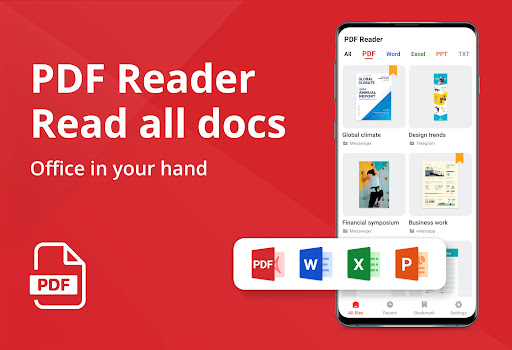
The PDF Reader - PDF Viewer app is your ultimate companion for managing all your PDF and document needs on the go! 🌟 By allowing users to open, read, edit, sign, and convert PDF files anytime and anywhere, this app packs remarkable functionality into a single platform. With its intelligent file detection, users can effortlessly manage not only PDFs but also Word, Excel, PPT, and TXT files. This multipurpose tool is designed for anyone needing a secure and free way to organize academic notes, business contracts, or even crafting a professional CV. Don’t miss out on taking your document management to the next level—download the PDF Reader - PDF Viewer app today!
Why People Use PDF Reader - PDF Viewer
1. Users flock to the PDF Reader - PDF Viewer app for its incredible versatility and user-friendly interface. The app addresses real-world challenges, such as the need for seamless document management across various formats. 📄 Whether you are a student trying to annotate lecture notes or a professional in need of signing contracts, this app admirably simplifies your tasks. Many appreciate how it combines powerful features like editing and annotation tools with the capability to read aloud your files, making it a perfect choice for busy individuals on the go!
2. This app also recognizes the importance of accessibility, providing night mode for late-night study sessions or work. People who want to ensure their documents are neatly organized are delighted with the app’s intuitive searching and bookmarking features, enabling easy navigation through multiple files. ⭐ User-centered design shines through, as the app caters to a wide range of needs—from quick edits to comprehensive document creation, making it the go-to for users across Android and iOS.
Key Features
1. Edit text & images in your PDFs effortlessly, allowing for dynamic collaborations and modifications on-the-go!
2. Utilize the PDF Converter to convert between PDF and various formats, including Word to PDF and vice versa, making your document management seamless!
3. Features like sign PDF easily and fill in PDF forms ensure that you can complete and share critical documents without hassle.
4. The innovative AI Assistant provides article outlines, translation services, and summaries, saving you time and effort in understanding complex reports.
5. With a night mode, reflow mode, and high-contrast colors for highlights, the app enhances your reading experience, making it comfortable and enjoyable! 🌙